Thursday, February 14, 2013

Nikon Image Space: the photo sharing and storage service.


NIKON IMAGE SPACE

With the App Nikon Image Space, you can easily view photos stored on "NIKON IMAGE SPACE" on your Android mobile device as if you were carrying around your own photo album. It also allows you to share photos with your friends and family using the address book in your mobile device and to post photos on Facebook/Twitter with a simple operation. Nikon's unique advanced photo management function will help you expand your horizons in the world of photo sharing.

In order to use this service, you first need to register for a "NIKON IMAGE SPACE" membership (Free).

You can sign up on the website using a PC or from the installed application. You will receive 2GB of storage space.

Nikon Image Space


Nikon has launched "NIKON IMAGE SPACE", a new photo cloud service that provides high-quality, large-capacity storage.

With "NIKON IMAGE SPACE" you can store the original data of your precious photos and video, and organize and share images without changing the expressive power of your photos. The service supports JPEG data as well as NEF and NRW data*. Data you save can be displayed in high definition at the original size. "NIKON IMAGE SPACE" is designed to support multiple devices as well as a range of modern photo-storage applications.

Wednesday, February 6, 2013

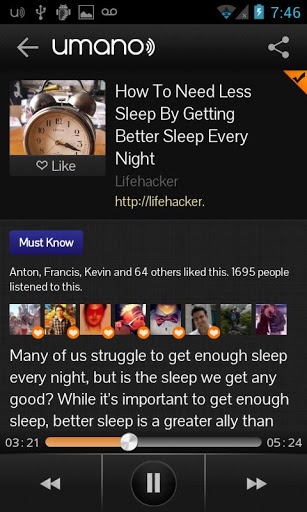
Hear real people read news with Umano on Android


With Umano you will hear real people with amazing voices read interesting news articles to you.

Here are some things you can do with Umano:
★ Browse the most interesting articles from top news sources
★ See what your friends are listening to
★ Personalize your listening experience by selecting categories and making a playlist
★ Download your playlist for offline listening
★ Share interesting articles with your friends

Notes on Permissions:
- Read Sensitive Log Data - we only require this permission to better analyze app crashes so that we can make your Umano experience as smooth as possible. We do *not* store any sensitive personal data on our servers.


Friday, January 11, 2013

Preview the latest features on Chrome Beta for Android!


- Preview the latest features: Try out the newest features. (Sometimes these may be a little rough around the edges.)
- Give early feedback: Let us know what you think and help make Chrome for Android a better browser.

You can install Chrome Beta alongside your current version of Chrome for Android. Chrome Beta will request additional permissions when using Chrome Sync for the first time.

Chrome Beta for Android!

Thursday, December 20, 2012

End of The World Countdown

End of The World Countdown
End of The World Countdown is a tiny application with widget, which makes countdown to End Of The World (The Mayan Prophecy: 2012 dec 21).


Tuesday, December 18, 2012

Snapseed for Android, by Nik Software, Inc.


Snapseed is the only photo app you’ll want to use every day. It makes any photograph extraordinary with a fun, high-quality photo experience right at your fingertips.
Anyone can enhance, transform, and share their photos with ease using incredibly advanced features from the leader in digital photography software. Built-in Google+ capabilities make it even more powerful to share your images with your friends and family.

PRAISE FOR SNAPSEED:
“Snapseed…first-class photo-editing software.” ~~Roy Furchgott, New York Times

BENEFITS:
• Easily adjust your photos with a single tap using Auto Correct
• Tweak your photo to perfection with Tune Image
• Use Selective Adjust to enhance specific objects or areas in your photos
• Experiment with fun & innovative filters like Drama, Vintage, Grunge, and Tilt-Shift
• Add Image Borders for a finishing touch
• Share your creations via Google+, email, and any other service you have installed.


SUPPORTS:
• Android OS 4.0 (Ice Cream Sandwich) or later
• Phone or Tablet
• JPEG and TIFF photos
• Language support: English, German, French, Spanish, Italian, Brazilian Portuguese, Japanese, Chinese (Traditional and Simplified), and Arabic

GET IN TOUCH:
google.com/+Snapseed


FEATURES:
== Basic Adjustments ==
• Auto Correct - Automatically analyzes your photo and adjusts color and exposure to perfection.
• Selective Adjust - Make precise selections and enhancements to specific areas of your photos in seconds with Nik Software’s revolutionary U Point technology.
• Tune Image - Use Ambience to create depth and vibrancy that uniquely adapts to colors and textures. Adjust White Balance, Saturation, Contrast, more.
• Straighten & Rotate - Rotate 90° and/or straighten photos with simple gesture controls.
• Crop - Easily crop images to remove distracting parts of your photo with standard aspect ratios, or a free crop.

== Creative Enhancements ==
• Black & White - Get that classic Black and White look with this darkroom-inspired filter.
• Vintage Films - Make any photo look like a vintage color film photo from the 50’s, 60’s or 70’s.
• Drama - Add style with a custom effect specifically tailored to your photos, ranging from subtle textures to wildly artistic effects.
• Grunge - Give your photos a totally unique, hip, and dingy look.
• Tilt-Shift - Create a narrow in-focus area designed to simulate depth of field, common in a Miniature Scene look.
• Details - Enhance details with traditional sharpening or the unique Structure control found in the Nik Software professional products.
• Center Focus - Draw attention to the subject of your photo by blurring and adjusting the brightness of the surrounding background.
• Organic Frames - Add stylized borders to photos for the perfect finishing touch.
Tuesday, December 4, 2012

Personalize your map in Google Maps


Add and save location information that's both personal and relevant. Star individual places and save Home/Work addresses that are unique to you and make Google Maps even more useful.