Calling All Ice Cream Sandwich Lovers
Live: YouTube.com/Android, 10/19/11, 10AM, Hong Kong Time (HKT)
Friday, October 14, 2011
Thursday, October 13, 2011
Conversation Mode of Google Translate for Android is available on more languages.

Google announced that Conversation Mode of Google Translate for Android is available on more languages, now support English, Spanish, Brazilian Portuguese, Czech, Dutch, French, German, Italian, Japanese, Korean, Mandarin Chinese, Polish, Russian and Turkish.
To use Conversation Mode, speak into your phone’s microphone, and the Translate app will translate what you’ve said and read the translation out loud. The person you’re speaking with can then reply in their language, and Conversation Mode will translate what they said and read it back to you.
details: http://googlemobile.blogspot.com/2011/10/start-conversation-with-google.html


Wednesday, October 12, 2011
MetaMouse: use your android phone as a wireless mouse and keyboard

MetaMouse allows you to use your android phone as a wireless mouse and keyboard. For a demonstration, check out the video. The listener for your computer is available here: http://luminiferousether.squarespace.com/metamouse-listener/
Setup:
- 1. Make sure both Android device and computer are connected to the same local network, i.e. wireless network.
- 2. Download the java executable linked above to your computer.
- 3. Run said jar file. Give it internet access when prompted.
- 4. This should produce an icon in your system tray. Double click it.
- 5. Open MetaMouse Android app. Select either 'Connect to Computer' or 'Connect Manually.'
- 6a. If you selected 'Connect to Computer,' it should open ZXing. Use this to capture the QR code on your computer's screen.
6b. If you selected 'Connect Manually,' type your computer's local IP address into the text input field. This should be right below the QR code on your screen. - 7. Select 'Mouse' from the menu.
MetaMouse Demonstration:
7" Color Android Touchscreen Tablet only $87.99
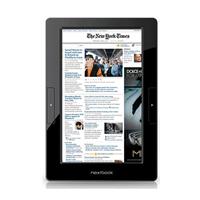 | ||||||||
| E-FUN Next2 7" Color Android Touchscreen Tablet (YIF-NEXT2) | ||||||||
| ||||||||
E-FUN Next2 7" Color Android Touchscreen Tablet (YIF-NEXT2) only $87.99 after instant savings. Ends 10/31
Tuesday, October 4, 2011
Official Microsoft Android app for Hotmail


The only official Microsoft mobile app for Hotmail that gives you easy access to Hotmail so you never miss an email.
Key features include:
- With push email get messages on your phone without delay
- Synced calendar and contacts
- View your folders in Hotmail, including sub folders
- Send pictures from your phone using Hotmail
- Supports multiple Hotmail accounts
- Send, receive and view attachments
Monday, October 3, 2011
MoboPlayer: Enjoy Your Video.


MoboPlayer - Watch any of your videos on a phone without conversion, anytime and anywhere.
We feature the best playback experience and quality.
Our video player supports:
All video formats (need to choose "software decoding" mode in most cases)
Popular subtitle formats such as SRT, ASS, and SAA
Subtitles built in MKV, MPV, MOV, and others
Multi-audio streams and multi-subtitles
Playlists and continuous play on same type files
Videos streamed through HTTP, RTSP protocols
Media libraries and sort videos by type
Thumbnail displays of videos
µTorrent Remote on Android: Secure remote access to µTorrent from anywhere.


µTorrent Remote works with µTorrent 3 for Windows or the µTorrent Mac Beta 1.5. This Android app securely connects to your home computer from anywhere you have an internet connection. Use µTorrent Remote to add, remove, start, stop torrents and check your download progress. Check your RSS feeds and start downloads on the go. Use your mobile browser to find torrents and they will automatically be added to your home µTorrent! Completed downloads can even be shifted directly back to your Android device for local playback.
Subscribe to:
Comments (Atom)